
Breaks can be made from the D4W Mobile App.
-
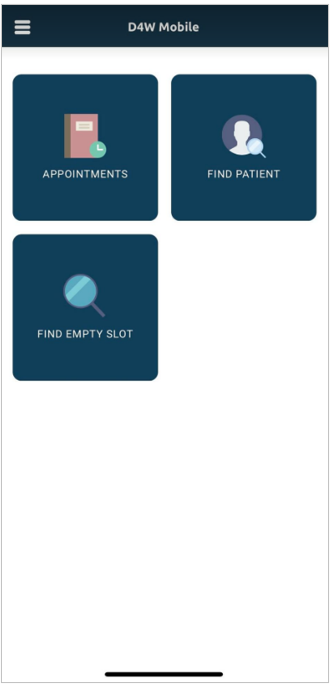
From the Main Menu tap Appointments
-
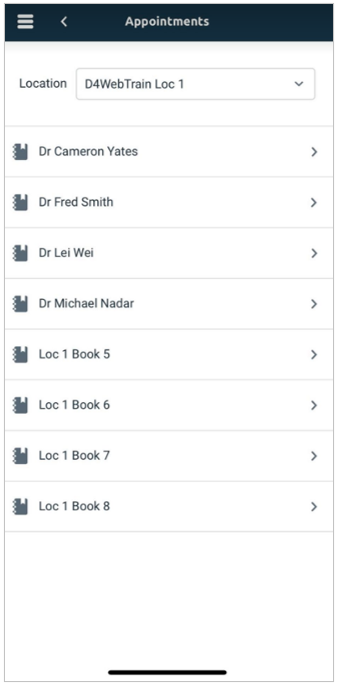
Tap the required Appointment Book
-
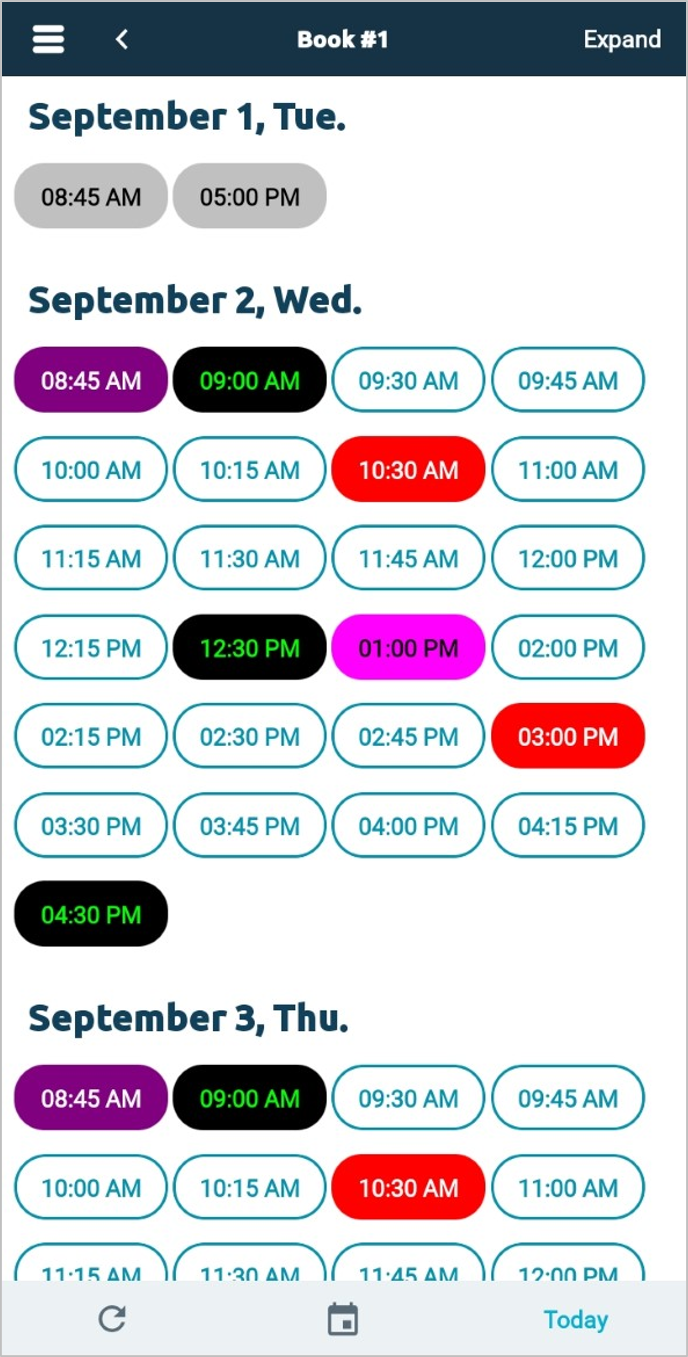
Available dates and times will appear. Tap the desired time to insert a Break
-
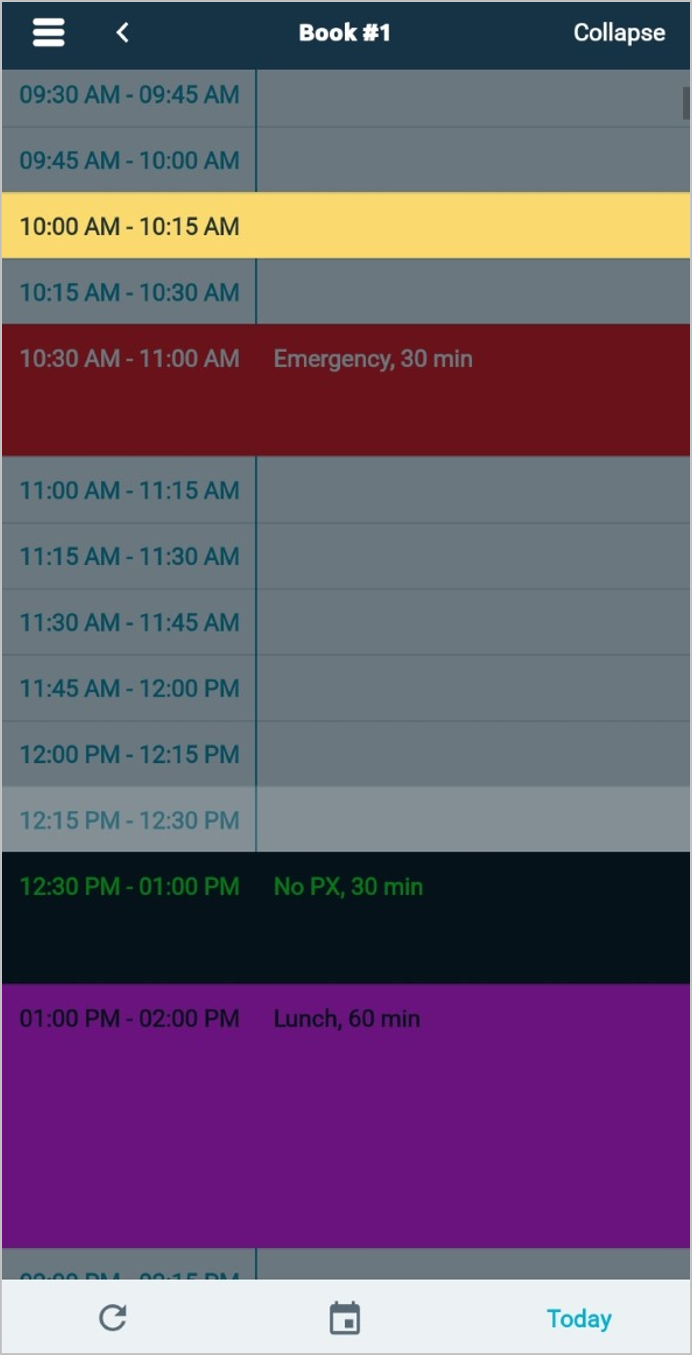
The selected slot will be highlighted in yellow. Tap to insert a break.
-
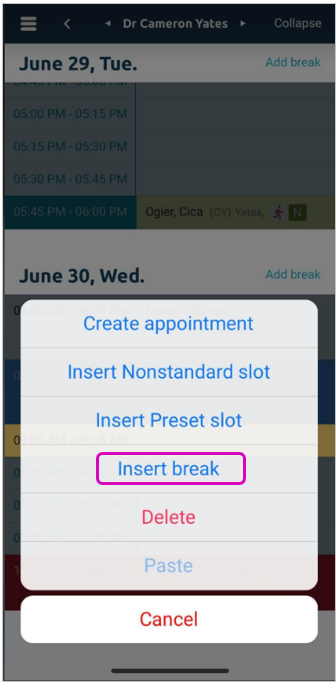
Tap Insert Break
-
Modify the break details if required > Tap Insert to create the Break.
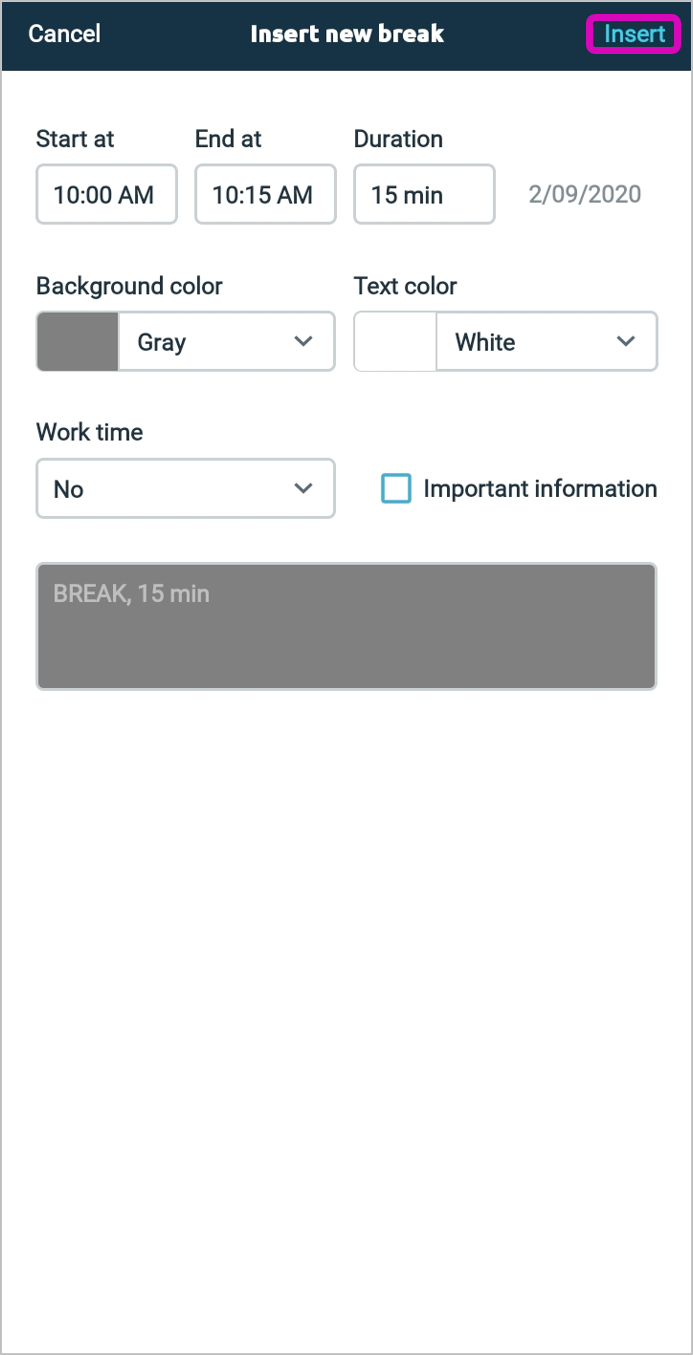
- Tick Important Information to prevent the break from being deleted if a new Appointment Book Template is created.
-
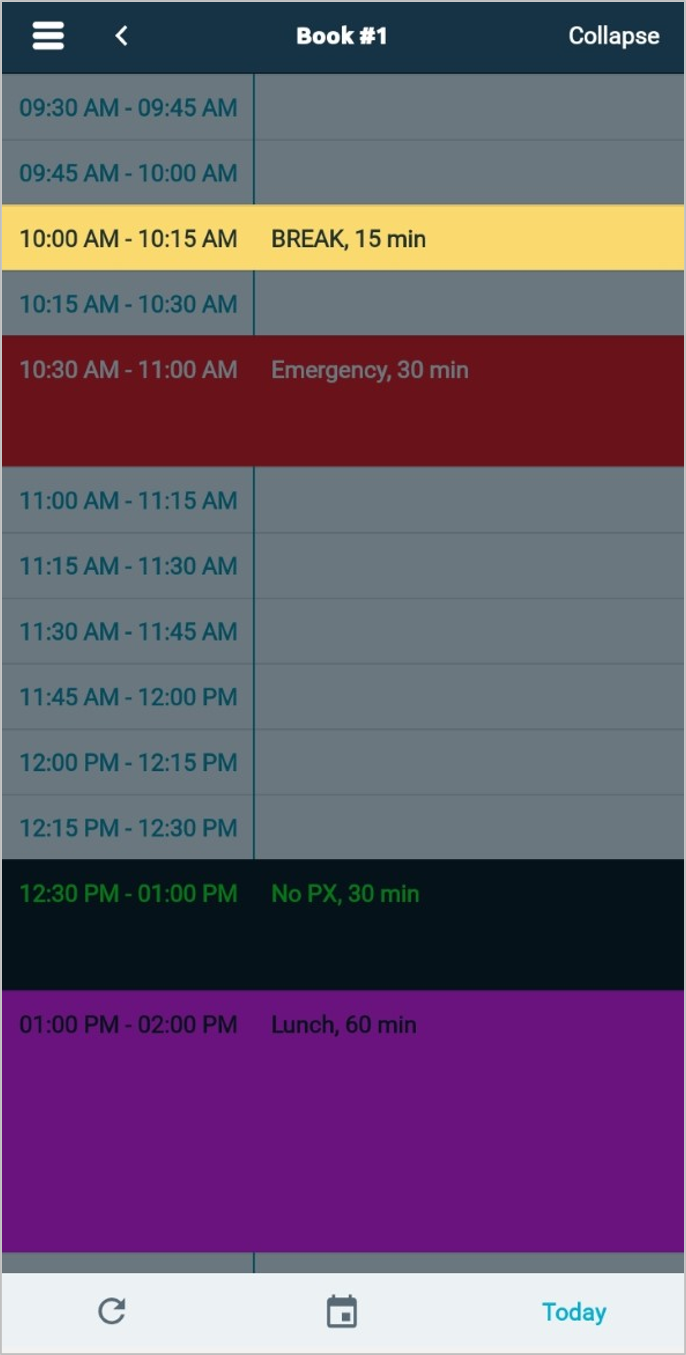
The Break has now been created.
Comments
Article is closed for comments.